
Free Preparation Discussions
 MENU
MENU
ServiceNow CIS-PA Exam - Topic 2 Question 7 Discussion
Topic #: 2
What determines the color of the score in a Score widget?
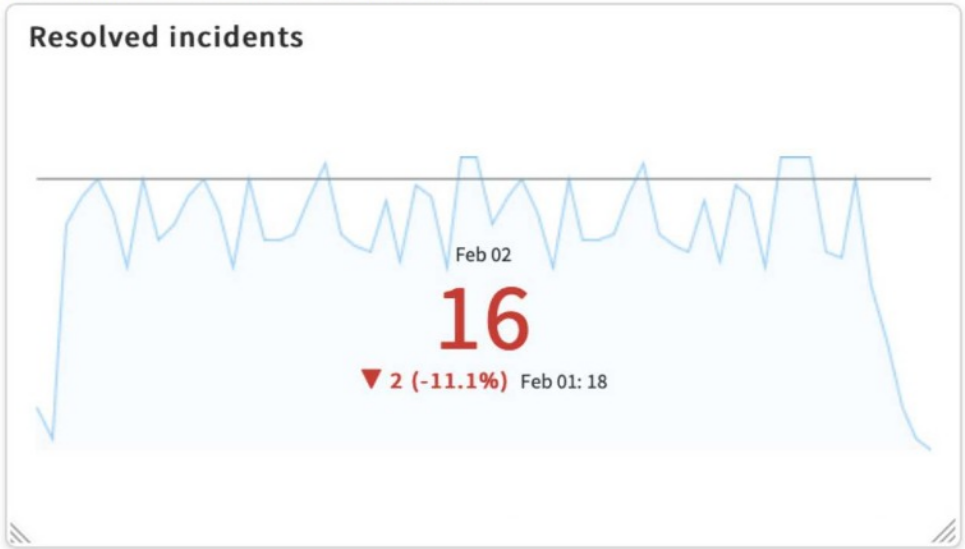
In ServiceNow Platform Analytics, the color of the score displayed in a Score widget is determined by the Indicator's relationship to its target in combination with the Direction setting (Maximize or Minimize) of the Indicator. This behavior is part of the KPI evaluation logic and is consistent across dashboards and KPI Details.
When an indicator has a defined target, Platform Analytics compares the current score against that target. Based on whether the indicator is configured to maximize (higher is better) or minimize (lower is better), the platform automatically assigns a visual status---such as green (on track), yellow (warning), or red (off track). This status directly controls the color of the score value shown in the widget.
Chart colors, field styles, or widget-specific settings do not influence the score color. Those options may affect line charts or visual styling, but not KPI status coloring. ServiceNow documentation clearly states that KPI status and score coloring are driven by target evaluation logic, making option A the correct and verified answer.
Alyce
2 months agoTwila
2 months agoMadelyn
2 months agoMerlyn
2 months agoTeddy
2 months agoRebecka
3 months agoAntione
4 months agoRenato
4 months agoLorrine
5 months agoErnest
5 months agoChun
5 months agoCarin
6 months ago