Free Preparation Discussions
 MENU
MENU
Free Linux Foundation CKS Exam Dumps July 2026
Here you can find all the free questions related with Linux Foundation Certified Kubernetes Security Specialist (CKS) exam. You can also find on this page links to recently updated premium files with which you can practice for actual Linux Foundation Certified Kubernetes Security Specialist Exam. These premium versions are provided as CKS exam practice tests, both as desktop software and browser based application, you can use whatever suits your style. Feel free to try the Certified Kubernetes Security Specialist Exam premium files for free, Good luck with your Linux Foundation Certified Kubernetes Security Specialist Exam.MultipleChoice
SIMULATION
Cluster:scanner
Master node:controlplane
Worker node:worker1
You can switch the cluster/configuration context using the following command:
[desk@cli] $kubectl config use-context scanner
Given:
You may use Trivy's documentation.
Task:
Use the Trivy open-source container scanner to detect images with severe vulnerabilities used by Pods in the namespacenato.
Look for images withHighorCriticalseverity vulnerabilities and delete the Pods that use those images.
Trivy is pre-installed on the cluster's master node. Use cluster's master node to use Trivy.
OptionsMultipleChoice
SIMULATION
You can switch the cluster/configuration context using the following command:
[desk@cli] $kubectl config use-context dev
A default-deny NetworkPolicy avoid to accidentally expose a Pod in a namespace that doesn't have any other NetworkPolicy defined.
Task: Create a new default-deny NetworkPolicy nameddeny-networkin the namespacetestfor all traffic of type Ingress + Egress
The new NetworkPolicy must deny all Ingress + Egress traffic in the namespacetest.
Apply the newly createddefault-denyNetworkPolicy to all Pods running in namespacetest.
You can find a skeleton manifests file at /home/cert_masters/network-policy.yaml
OptionsMultipleChoice
SIMULATION
You can switch the cluster/configuration context using the following command:
[desk@cli] $kubectl config use-context qa
Context:
A pod fails to run because of an incorrectly specified ServiceAccount
Task:
Create a new service account named backend-qa in an existing namespace qa, which must not have access to any secret.
Edit the frontend pod yaml to use backend-qa service account
Note:You can find the frontend pod yaml at /home/cert_masters/frontend-pod.yaml
OptionsMultipleChoice
SIMULATION
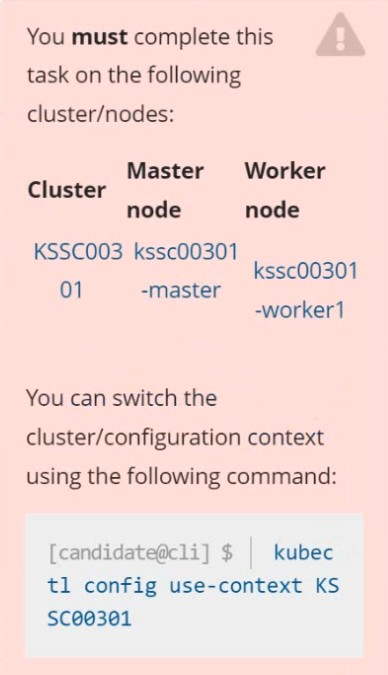
Task
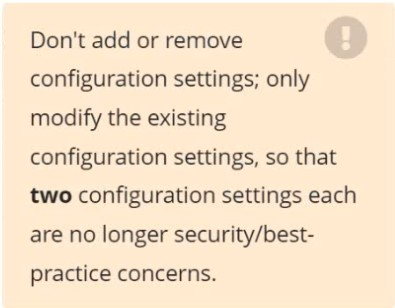
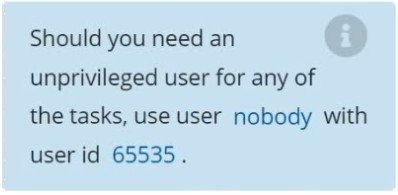
Analyze and edit the given Dockerfile /home/candidate/KSSC00301/Docker file (based on the ubuntu:16.04 image), fixing two instructions present in the file that are prominent security/best-practice issues.
Analyze and edit the given manifest file /home/candidate/KSSC00301/deployment.yaml, fixing two fields present in the file that are prominent security/best-practice issues.
MultipleChoice
SIMULATION
Create a RuntimeClass named gvisor-rc using the prepared runtime handler named runsc.
Create a Pods of image Nginx in the Namespace server to run on the gVisor runtime class
OptionsMultipleChoice
SIMULATION
Given an existing Pod named nginx-pod running in the namespace test-system, fetch the service-account-name used and put the content in /candidate/KSC00124.txt
Create a new Role named dev-test-role in the namespace test-system, which can perform update operations, on resources of type namespaces.
Create a new RoleBinding named dev-test-role-binding, which binds the newly created Role to the Pod's ServiceAccount ( found in the Nginx pod running in namespace test-system).
OptionsMultipleChoice
SIMULATION
Given an existing Pod named nginx-pod running in the namespace test-system, fetch the service-account-name used and put the content in /candidate/KSC00124.txt
Create a new Role named dev-test-role in the namespace test-system, which can perform update operations, on resources of type namespaces.
Create a new RoleBinding named dev-test-role-binding, which binds the newly created Role to the Pod's ServiceAccount ( found in the Nginx pod running in namespace test-system).
OptionsMultipleChoice
You can switch the cluster/configuration context using the following command:
[desk@cli] $kubectl config use-context stage
Context:
A PodSecurityPolicy shall prevent the creation of privileged Pods in a specific namespace.
Task:
1. Create a new PodSecurityPolcy named deny-policy, which prevents the creation of privileged Pods.
2. Create a new ClusterRole name deny-access-role, which uses the newly created PodSecurityPolicy deny-policy.
3. Create a new ServiceAccount named psd-denial-sa in the existing namespace development.
Finally, create a new ClusterRoleBindind named restrict-access-bind, which binds the newly created ClusterRole deny-access-role to the newly created ServiceAccount psp-denial-sa
OptionsMultipleChoice
You must complete this task on the following cluster/nodes: Cluster:immutable-cluster
Master node:master1
Worker node:worker1
You can switch the cluster/configuration context using the following command:
[desk@cli] $kubectl config use-context immutable-cluster
Context: It is best practice to design containers to be stateless and immutable.
Task:
Inspect Pods running in namespaceprodand delete any Pod that is either not stateless or not immutable.
Use the following strict interpretation of stateless and immutable:
1. Pods being able to store data inside containers must be treated as not stateless.
Note:You don't have to worry whether data is actually stored inside containers or not already.
2. Pods being configured to beprivilegedin any way must be treated as potentially not stateless or not immutable.
OptionsMultipleChoice
Cluster:qa-cluster
Master node:masterWorker node:worker1
You can switch the cluster/configuration context using the following command:
[desk@cli] $kubectl config use-context qa-cluster
Task:
Create a NetworkPolicy namedrestricted-policyto restrict access to Podproductrunning in namespacedev.
Only allow the following Pods to connect to Pod products-service:
1. Pods in the namespaceqa
2. Pods with labelenvironment: stage, in any namespace
Options