
 MENU
MENU
Refer to the exhibit.
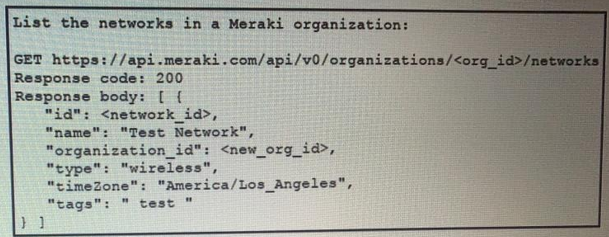
Fill in the blanks to complete the cURL command to the list of networks in the Meraki organization with an id of 384279060

Solution below
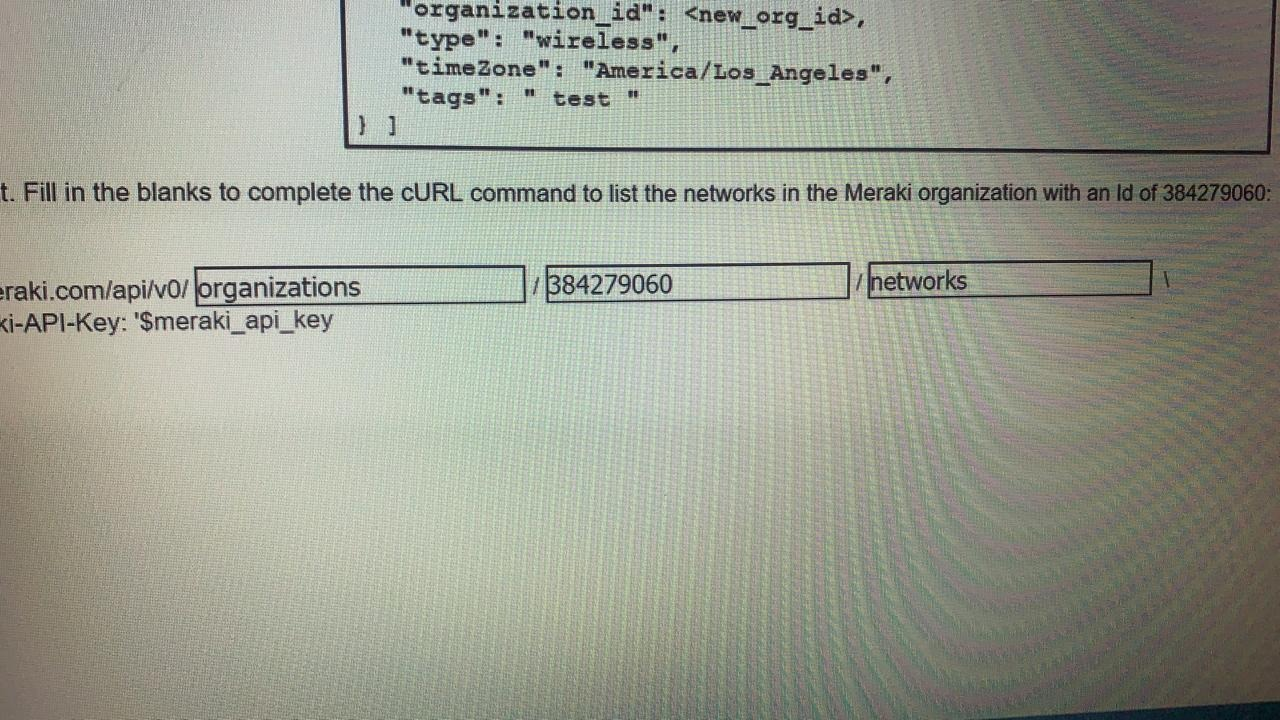
To list the networks in a Meraki organization using the Meraki API, you need to construct a proper cURL command. The command must include the URL endpoint specific to the Meraki organization ID and the required API key for authentication. The correct cURL command to list networks in the organization with ID 384279060 is:
curl -X GET -L
--url https://api.meraki.com/api/v0/organizations/384279060/networks
-H 'X-Cisco-Meraki-API-Key: $meraki_api_key'
Here:
-X GET: Specifies the request method as GET.
-L: Follows any redirects.
--url: Specifies the API endpoint URL.
-H 'X-Cisco-Meraki-API-Key: $meraki_api_key': Adds the API key header for authentication.