
Deal of The Day! Hurry Up, Grab the Special Discount - Save 25% - Ends In 00:00:00 Coupon code: SAVE25
Welcome to Pass4Success

- Free Preparation Discussions

AutoDesk BIM_MGT_101 Exam - Topic 2 Question 4 Discussion

A designer needs to add Area Lines in an Area Plan, but upon adding them, they receive a message stating that none of the created elements are visible.Where can they check to resolve the issue?
D) Visibility/Graphics
A) Plan Region
B) Detail Level
C) Area Scheme

AutoDesk BIM_MGT_101 Exam - Topic 2 Question 4 Discussion

Actual exam question for AutoDesk's BIM_MGT_101 exam
Question #: 4
Topic #: 2
[All BIM_MGT_101 Questions]

A designer needs to add Area Lines in an Area Plan, but upon adding them, they receive a message stating that none of the created elements are visible.
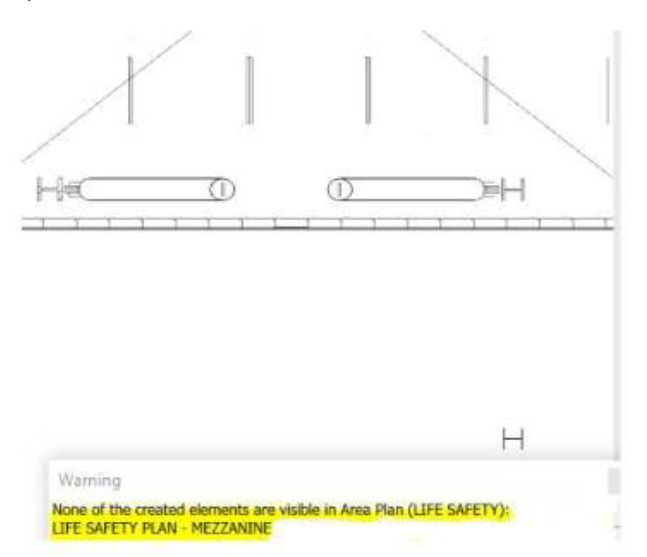
Where can they check to resolve the issue?

Show Suggested Answer Hide Answer
Suggested Answer: D

The designer should inspect the view's Visibility/Graphics settings. Area Lines, also referred to as Area Boundary Lines, are view-specific elements whose visibility can be controlled by the active view, an applied view template, or category-level visibility settings. If the applicable line category is disabled, Revit can create the boundaries successfully while warning that the newly created elements are not visible in the current Area Plan.

The review should include the Model Categories and Annotation Categories tabs, any active view filters, temporary hide/isolate status, and the view template controlling the Area Plan. Where a template governs visibility, the correction should normally be made in the template rather than as an isolated view override, particularly when the same standard must apply to multiple Area Plans.

A Plan Region changes the local view range and does not govern Area Boundary Line visibility. Detail Level affects how certain model geometry is represented but does not normally suppress Area Lines. The Area Scheme determines the type and organizational purpose of an Area Plan, such as Gross Building or Rentable Area, but it is not the direct location for correcting hidden linework.

Reference topics: Area Plans; Area Boundary Lines; Visibility/Graphics; view templates; view-specific elements; graphical troubleshooting.


Contribute your Thoughts:

0/2000 characters
Svetlana
1 day ago
Huh, I didn’t know that could happen!
upvoted 0 times
...
Lou
6 days ago
Wait, are you sure it’s not the Detail Level?
upvoted 0 times
...
Louisa
11 days ago
I thought it was the Area Scheme?
upvoted 0 times
...
Anthony
17 days ago
Definitely D) Visibility/Graphics.
upvoted 0 times
...
Ashton
22 days ago
Check the Visibility/Graphics settings!
upvoted 0 times
...
Theola
27 days ago
I’m a bit confused, but I think Plan Region might not be the issue since it usually deals with specific areas rather than visibility settings.
upvoted 0 times
...
Argelia
1 month ago
I practiced a similar question where the Detail Level affected visibility. Could that be a factor here as well?
upvoted 0 times
...
Stephaine
1 month ago
I'm not entirely sure, but I feel like the Area Scheme could be related to how areas are displayed. Maybe it's worth checking that too?
upvoted 0 times
...
Mozelle
1 month ago
I think I remember something about the Visibility/Graphics settings being crucial for showing elements in a plan. That might be the right choice.
upvoted 0 times
...

Save Cancel