
 MENU
MENU
This question requires that you evaluate the BOLD text to determine if it is correct.
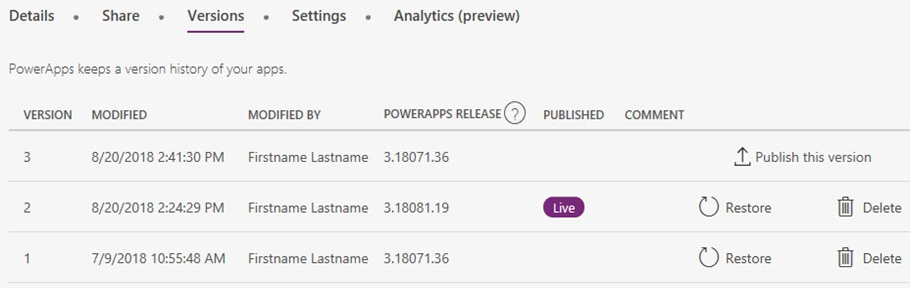
You have a Power Apps app. You create a new version of the app and then publish the new version. A customer goes through the process of restoring the previous version of the app. In the Version tab for the app, you will see two versions of the app.
Review the underlined text. If it makes the statement correct, select ''No change is needed.'' If the statement is incorrect, select the answer choice that makes the statement correct.
Restore a canvas app to a previous version in PowerApps.
1. Open powerapps.com, and then click or tap Apps in the left navigation bar.
2. Near the right edge, click or tap the info icon for the app that you want to restore.
3. Click or tap the Versions tab, and then click or tap Restore for the version that you want to restore.
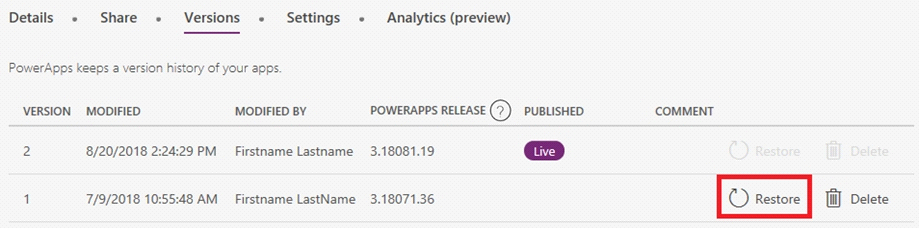
4. In the confirmation dialog box, click or tap Restore.
A new version is added to your list.
https://docs.microsoft.com/en-us/powerapps/maker/canvas-apps/restore-an-app