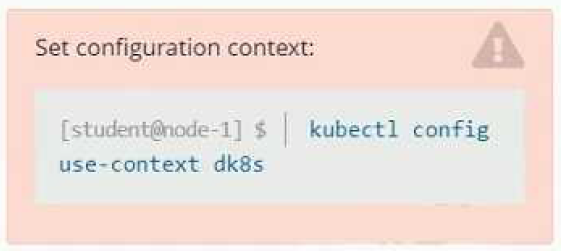
Refer to Exhibit.Set Configuration Context:[student@node-1] $ | kubectlConfig use-context k8sContextA user has reported an aopticauon is unteachable due to a failing livenessProbe .TaskPerform the following tasks:* Find the broken pod and store its name and namespace to /opt/KDOB00401/broken.txt in the format:/The output file has already been created* Store the associated error events to a file /opt/KDOB00401/error.txt, The output file has already been created. You will need to use the -o wide output specifier with your command* Fix the issue.
A) Explanation:
To find the broken pod and store its name and namespace to /opt/KDOB00401/broken.txt, you can use the kubectl get pods command and filter the output by the status of the pod.
kubectl get pods --field-selector=status.phase=Failed -o jsonpath='{.items[*].metadata.namespace}/{.items[*].metadata.name}' > /opt/KDOB00401/broken.txt
This command will list all pods with a status of Failed and output their names and namespaces in the format <namespace>/. The output is then written to the /opt/KDOB00401/broken.txt file.
To store the associated error events to a file /opt/KDOB00401/error.txt, you can use the kubectl describe command to retrieve detailed information about the pod, and the grep command to filter the output for error events.
kubectl describe pods --namespace | grep -i error -B5 -A5 > /opt/KDOB00401/error.txt
Replace and with the name and namespace of the broken pod you found in the previous step.
This command will output detailed information about the pod, including error events. The grep command filters the output for lines containing 'error' and also prints 5 lines before and after the match.
To fix the issue, you need to analyze the error events and find the root cause of the issue.
It could be that the application inside the pod is not running, the container image is not available, the pod has not enough resources, or the liveness probe configuration is incorrect.
Once you have identified the cause, you can take appropriate action, such as restarting the application, updating the container image, increasing the resources, or modifying the liveness probe configuration.
After fixing the issue, you can use the kubectl get pods command to check the status of the pod and ensure
Chantell
7 months agoJeffrey
7 months agoVirgilio
7 months agoWhitley
7 months agoCecilia
8 months agoRolande
8 months agoNicolette
8 months agoPaola
8 months agoCarrol
8 months agoAlishia
8 months agoEffie
8 months agoEileen
8 months agoAmber
8 months agoLeontine
9 months agoTamesha
9 months agoDelsie
9 months agoSheldon
9 months agoArlette
9 months agoDerrick
1 year agodavid bbaker
1 year ago