
Free Preparation Discussions
 MENU
MENU
Free Fortinet FCSS_EFW_AD-7.6 Exam Dumps August 2026
Here you can find all the free questions related with Fortinet FCSS - Enterprise Firewall 7.6 Administrator (FCSS_EFW_AD-7.6) exam. You can also find on this page links to recently updated premium files with which you can practice for actual Fortinet FCSS - Enterprise Firewall 7.6 Administrator Exam. These premium versions are provided as FCSS_EFW_AD-7.6 exam practice tests, both as desktop software and browser based application, you can use whatever suits your style. Feel free to try the FCSS - Enterprise Firewall 7.6 Administrator Exam premium files for free, Good luck with your Fortinet FCSS - Enterprise Firewall 7.6 Administrator Exam.MultipleChoice
The IT department discovered during the last network migration that all zero phase selectors in phase 2 IPsec configurations impacted network operations.
What are two valid approaches to prevent this during future migrations? (Choose two.)
OptionsMultipleChoice
Refer to the exhibit.
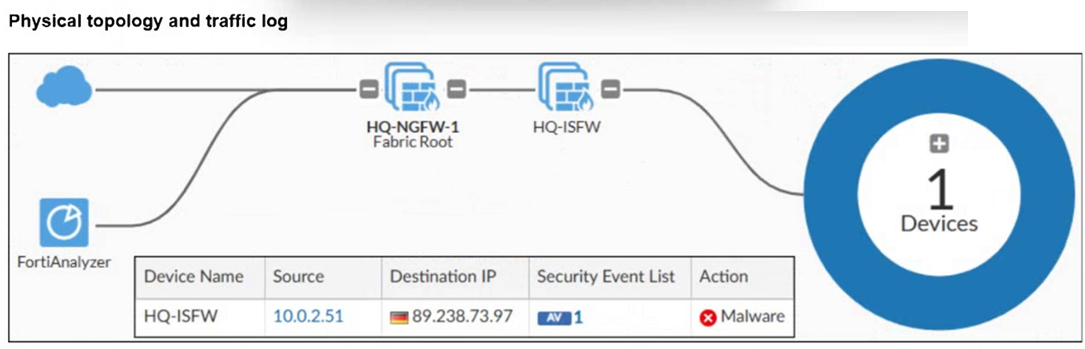
A physical topology along with a traffic log is shown. You are using FortiAnalyzer to monitor traffic from the device with IP address 10.0.2.51, which is located behind the FortiGate internal segmentation firewall (ISFW) device. Unified threat management (UTM) is not enabled in the firewall policy on the HQ-ISFW device, and you are surprised to see a log with the action Malware, as shown in the exhibit. What are two reasons why FortiAnalyzer would display this log? (Select two answers)
OptionsMultipleChoice
How will configuring set tcp-mss-sender and set tcp-mss-receiver in a firewall policy affect the size and handling of TCP packets in the network?
OptionsMultipleChoice
An administrator is setting up an ADVPN configuration and wants to ensure that peer IDs are not exposed during VPN establishment.
Which protocol can the administrator use to enhance security?
OptionsMultipleChoice
Refer to the exhibits.
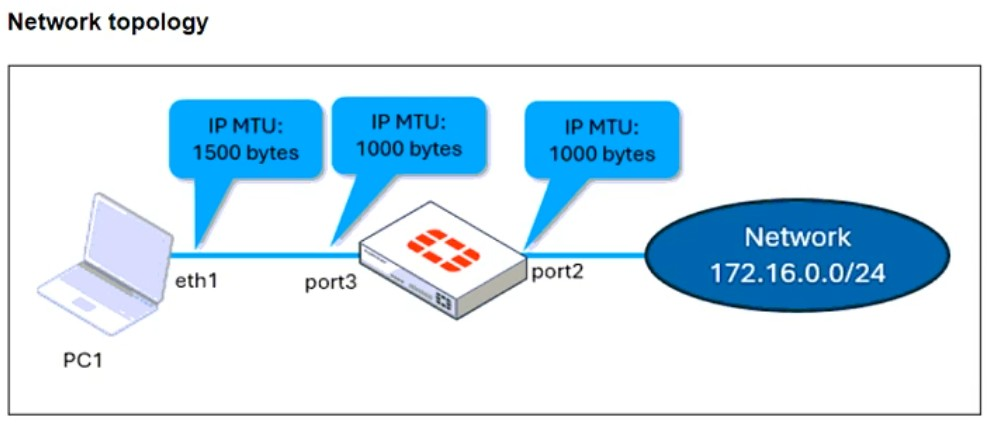
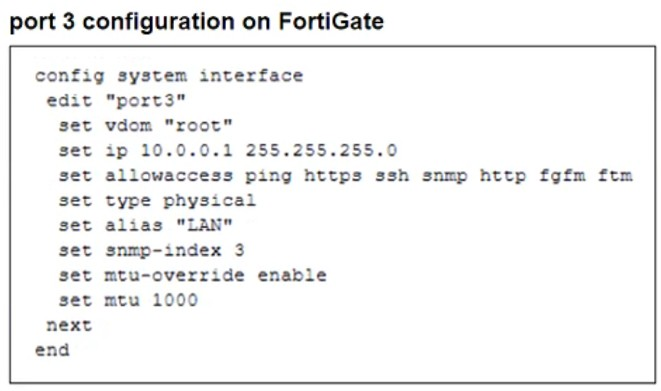
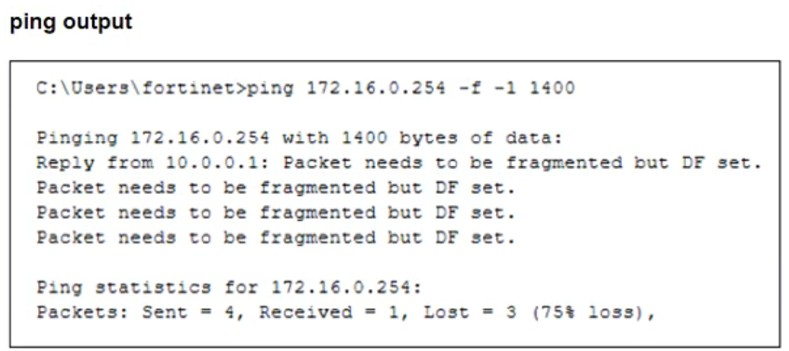
The configuration of a user's Windows PC, which has a default MTU of 1500 bytes, along with FortiGate interfaces set to an MTU of 1000 bytes, and the results of PC1 pinging server 172.16.0.254 are shown.
Why is the user in Windows PC1 unable to ping server 172.16.0.254 and is seeing the message: Packet needs to be fragmented but DF set?
OptionsMultipleChoice
A FortiGate device with UTM profiles is reaching the resource limits, and the administrator expects the traffic in the enterprise network to increase.
The administrator has received an additional FortiGate of the same model.
Which two protocols should the administrator use to integrate the additional FortiGate device into this enterprise network? (Choose two.)
OptionsMultipleChoice
Refer to the exhibits.

A policy package conflict status and information from the import device wizard in the Core1 VDOM are shown. When you import a policy package, the following message appears for the Web_restrictions web filter profile and the deep-inspection SSL-SSH profile: "The following objects were found having conflicts. Please confirm your settings, then continue." The Web_restrictions and deep-inspection profiles are used by other FortiGate devices within FortiManager. Which step must you take to resolve the issue? (Select one answer)
Options
