
Free Preparation Discussions
 MENU
MENU
Free Dell EMC D-PST-DY-23 Exam Dumps October 2026
Here you can find all the free questions related with Dell EMC Dell PowerStore Deploy 2023 (D-PST-DY-23) exam. You can also find on this page links to recently updated premium files with which you can practice for actual Dell EMC Dell PowerStore Deploy 2023 Exam. These premium versions are provided as D-PST-DY-23 exam practice tests, both as desktop software and browser based application, you can use whatever suits your style. Feel free to try the Dell PowerStore Deploy 2023 Exam premium files for free, Good luck with your Dell EMC Dell PowerStore Deploy 2023 Exam.MultipleChoice
SIMULATION
A storage admin is setting up a new protection policy with only snapshot rule for a new file system in PowerStore.
The administrator is given the below parameters.
Use the simulator to perform the configuration task.
When you have finished continue to the next question.
Options
OrderList
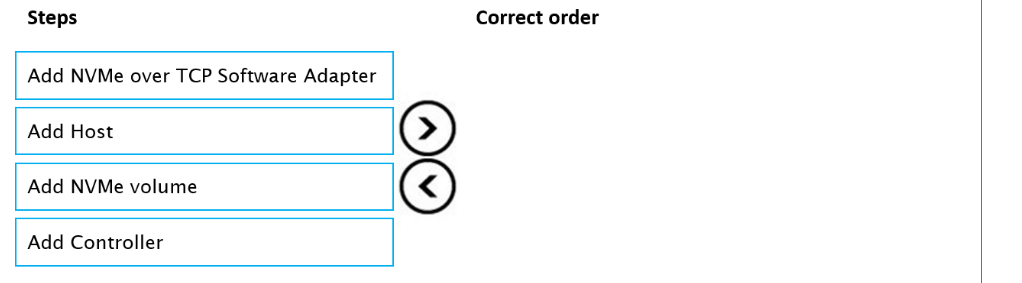
Place the steps in the correct order to map a PowerStore volume to a NVMe host.
MultipleChoice
A PowerStore administrator is creating a host group.
Which two protocol types can be selected for a new host group? (Select two.)
OptionsMultipleChoice
Which of me following is true statement?
OptionsMultipleChoice
SIMULATION
create an SMB NAS server in the PowerStore simulator using the provided information.
Here's the information that is given:
NAS and SMB computer name: payrollserver
Network Interface: BaseEnclosure-bond1
IP address: 192.168.2.20
Subnet: /24
Gateway: 192.168.2.254
VLAN: 1504
AD/DNS: 192.168.2.50
Windows domain name: company.com
Domain administrator credentials: (presumably Administrator/password)

MultipleChoice
In a PowerStore T source cluster create a 100GB volume with name ''Prod_vol'' with a category of ''Other''. Set its protection policy to replicate the volume with an RPO of 30 minutes to Cluster1. The destination cluster is already configured.
When you have finished, continue to the next question.
OptionsMultipleChoice
A PowerStore user has a business need for file system snapshots of NAS Server NAS1 with the following attributes:
Using the PowerStore Simulator, make the appropriate configuration change.
When you have finished, continue to the next question.
OptionsMultipleChoice
Refer to the exhibit.

Use the simulator to assign a protection policy to the virtual machine ''VM1''. Use the following settings:
When you have finished, continue to the next question.
OptionsMultipleChoice
Use the simulator to create an SMB NAS server using the following information:
* NAS and SMB computer name: payrollserver
* Network interface: BaseEnclosure-bond1
* IP address: 192.168.2.20
* Subnet: /24
* Gateway: 192.168.2.254
* VLAN: 1504
* AD/DNS: 192.168.2.50
* Windows domain name: company.com
* Domain administrator credentials: Administrator/password
When you have finished continue to the next question.
OptionsMultipleChoice
Refer to the exhibit.
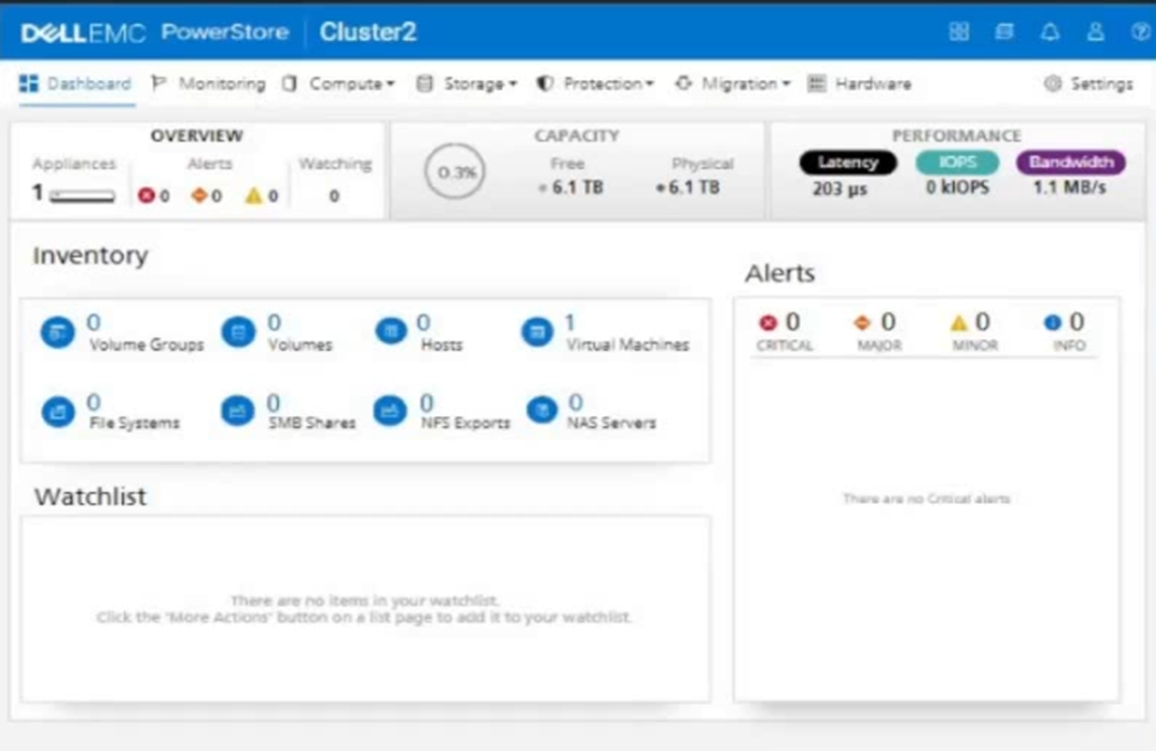
An administrator is setting up a new ESXi cluster using NVMe over TCP. The administrator is given the following parameters:
Volume Details
Name: nvme-ds-01
Category: Virtualization
Application: Containers/Kubernetes
Volume Performance Policy: High
Size: 2 TB
Host Details
Name: ESXi-01
Initiator Type: NVMe
Host Mappings: NVMe
Use the simulator to add the host and the volume and give the host access to the volume using the above parameters.
When you have finished, continue to the next question.
Options
